Create a new serverless App & Service
Source: Notion | Last edited: 2024-11-16 | ID: 8df74ecd-6ef...
Create an app in the Serverless dashboard
Section titled “Create an app in the Serverless dashboard”Use serverless command to create new app
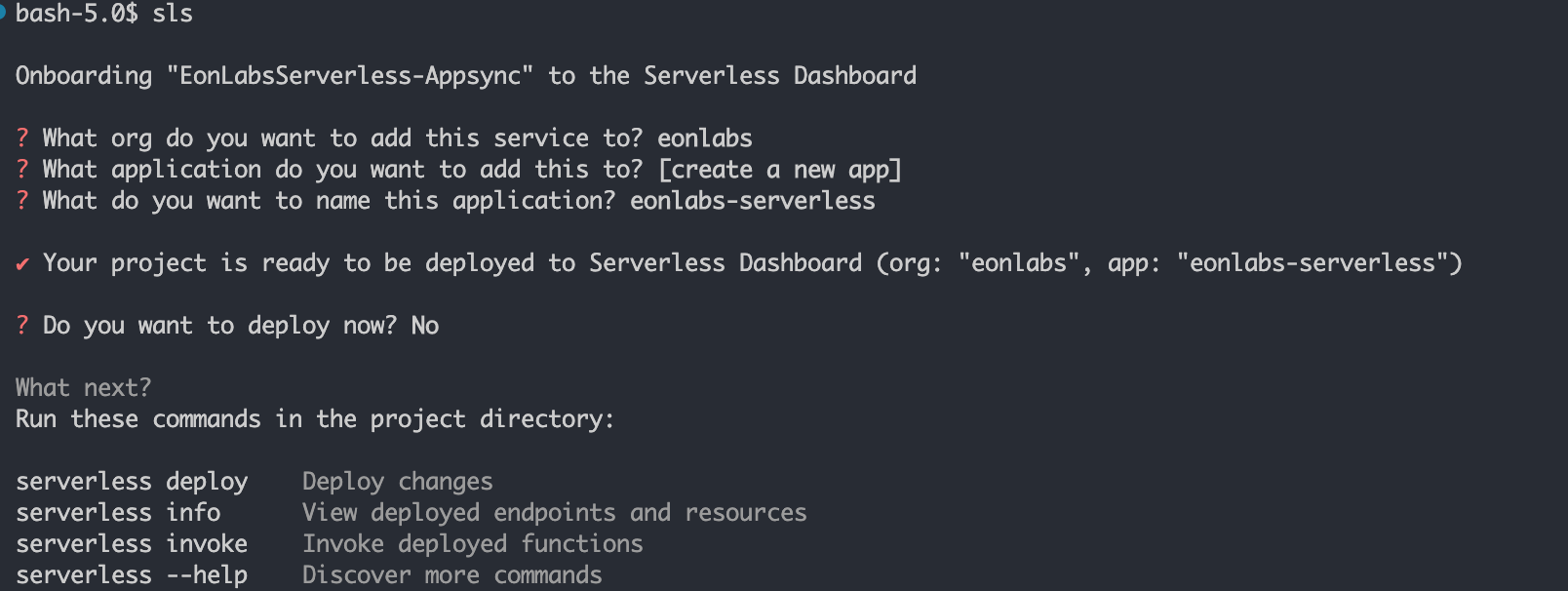
Create a service in the Serverless dashboard
Section titled “Create a service in the Serverless dashboard”Here are the steps:
- Add
organdappin the serverless.yml file; See the example below
- Run deployment command:
sls deploy --stage dev, by default Serverless will deploy the service to the org level default provider AWS dev account (eonlabs-dev) - In the newly created service, overwrite the default provider to eonlabs-dev (avoid inheriting from org provider since it can cause problems down the road when/if someone accidentally change org level provider)
- Under the same service, create a new
prodstage through UI, manually change the stage level provider to be eonlabs-prod
- Double-check to make sure:
- The dev stage points to the eonlabs-dev provider (inherited from the service level provider)
- The prod stage points to the eonlabs-prod provider (overrides provider from the service level provider)
- Run
serverless deploy --stage prod, ensure theeonlabs-prodprovider is used in the deployment, as highlighted in the image below.
How provider inheritance works in the Serverless framework:
Section titled “How provider inheritance works in the Serverless framework:”The provider feature has multiple levels of inheritance that you can override.
-
If you set a default provider in the org menu, then all deployed services and stages inherit that provider by default
-
You can go to the settings for a service as a whole by clicking the menu on the far right of the service name in the apps view, switching to “provider” and choosing a different provider. All stages within that service will use that provider by default
-
Within a specific stage, you can switch to the “provider” tab and then choose a provider exclusively for that stage, overriding the defaults from org and service settings.
Optional
Section titled “Optional”Configure Github Action Environment Secrets