Update Shadowsocks Server IP
Source: Notion | Last edited: 2022-12-05 | ID: db1106e9-db5...
更新Elastic IP(大概1、2天,IP地址就会被墙)
Section titled “更新Elastic IP(大概1、2天,IP地址就会被墙)”- Log into EonLabs-Prod AWS Account, switch to Tokyo region, go to Elastic IP address service, and then click the button Allocate Elastic IP address
- Once a new IP address is created, click Actions → Associate Elastic IP address
- Choose the corresponding shadowsocks ec2 instance
- Go to route 53
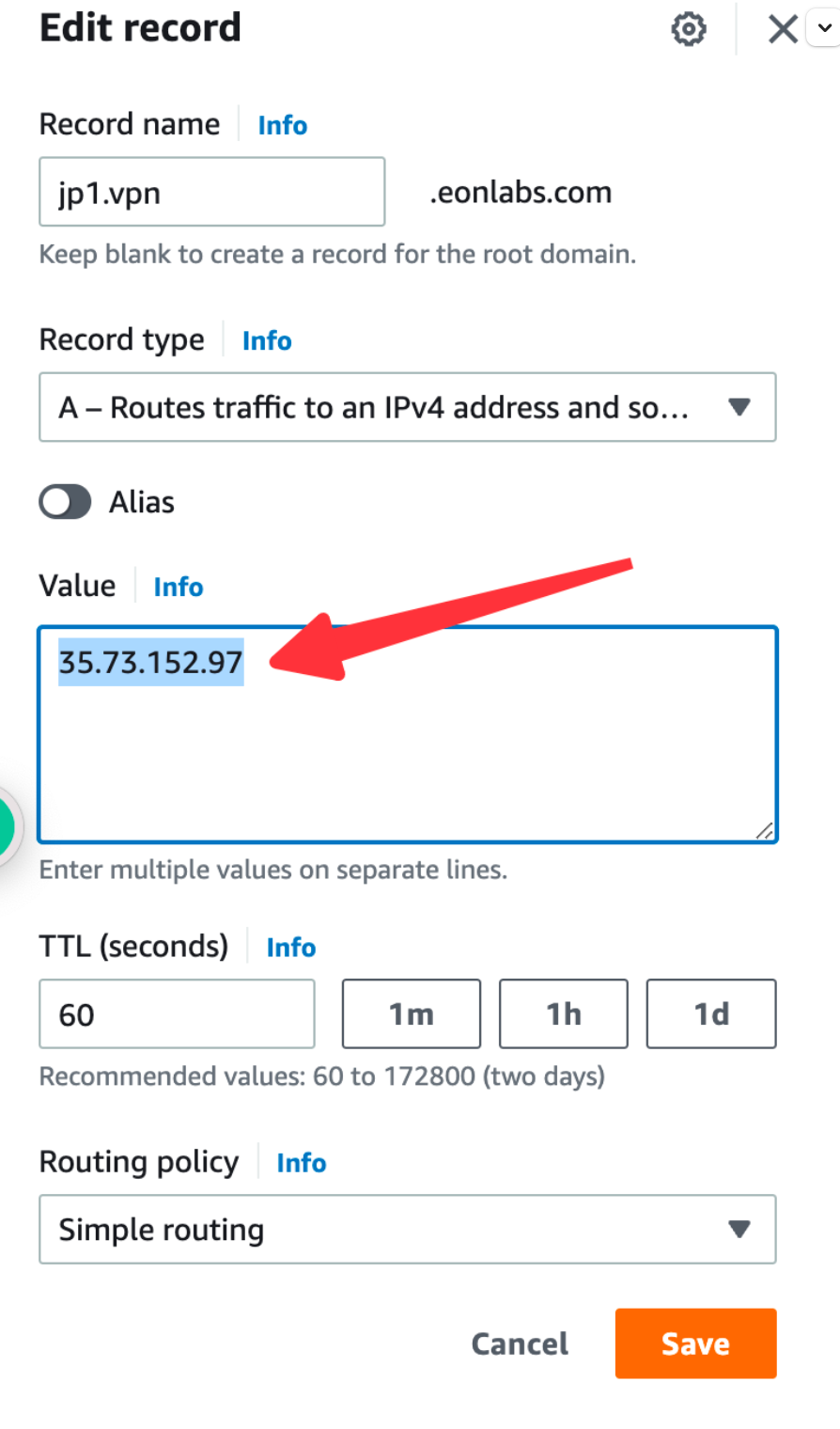
- Select the vpn sub domain record, and then click Edit record
- Update the value with the new elastic IP address
Done.