ShadowSocks Client (Mac/Win/Linux)
Source: Notion | Last edited: 2024-07-27 | ID: fcb708da-b50...
根据你的操作系统下载对应的版本
https://github.com/nojsja/shadowsocks-electron/releases
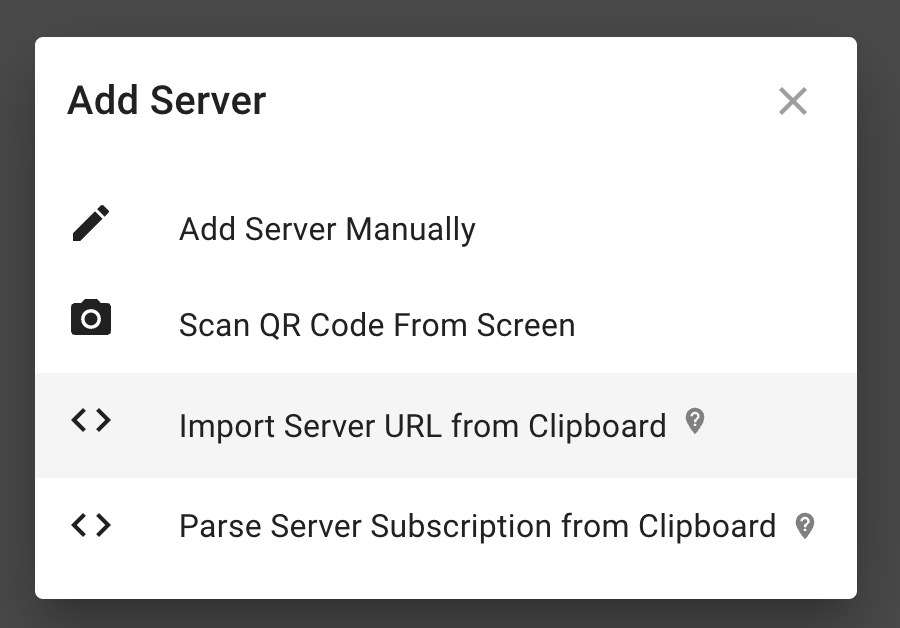
复制下面的server url,import server URL from clipboard
ss://YWVzLTI1Ni1nY206VV9RX1BMSks2dFBAanAxLnZwbi5lb25sYWJzLmNvbToxODM4Mw==#AWSTokyo
import成功后,点击Edit,查看server确认细节无误
Click the server until the status turned Green(online)
使用SSR + PAC mode(暂时停用)
Section titled “使用SSR + PAC mode(暂时停用)”暂时停用
在测试globa模式可用后,改成使用pac mode,这样被封锁的网站使用vpn,没有被封锁的使用运营商网络。以减小被墙几率。
这里是 gfw list,,https://raw.githubusercontent.com/gfwlist/gfwlist/master/gfwlist.txt
Shadowsocks-electron默认自动支持浏览器 - 可以访问youtube了 🎉🎉
支持 Terminal
Section titled “支持 Terminal”要讓terminal也能順利使用shadowsocks,需要配置proxy。首先,设置shadowsocks的local port为1080
然后需要配置proxy
Ubuntu
Section titled “Ubuntu”如果仅仅是设置git,可以只让git使用proxy即可
git config --global http.proxy socks5://127.0.0.1:1080如果还有其他需要使用shadowsocks来proxy的程序,比如node,再考虑用Proxychains
设置细节:
# 這裏使用了proxychains來添加proxy,你也可以用別的程序sudo apt-get install proxychains4sudo vi /etc/proxychains4.conf**结果:**然後把最後一行 socks4 127.0.0.1 9050,修改爲 socks5 127.0.0.1 1080
然後把所有需要用到VPN proxy的命令前面都添加 proxychains命令
可以curl通 google.com 🎉🎉
sudo proxychains curl google.com
设置 火狐proxy
Section titled “设置 火狐proxy”
设置docker proxy
Section titled “设置docker proxy”要将Docker配置为使用Shadowsocks的SOCKS5代理,你需要设置Docker的代理配置。以下是具体步骤:
1. 创建或编辑Docker的系统D服务配置文件
Section titled “1. 创建或编辑Docker的系统D服务配置文件”- 创建Docker的系统D服务目录(如果尚未存在):
bashCopy codesudo mkdir -p /etc/systemd/system/docker.service.d- 创建或编辑HTTP代理配置文件:
bashCopy codesudo nano /etc/systemd/system/docker.service.d/http-proxy.conf- 添加以下内容(确保将代理地址和端口替换为你的代理地址和端口):
plaintextCopy code[Service]Environment="HTTP_PROXY=socks5://127.0.0.1:1080"Environment="HTTPS_PROXY=socks5://127.0.0.1:1080"2. 重新加载并重启Docker服务
Section titled “2. 重新加载并重启Docker服务”- 重新加载systemd守护进程:
bashCopy codesudo systemctl daemon-reload- 重启Docker服务:
bashCopy codesudo systemctl restart docker3. 验证代理配置
Section titled “3. 验证代理配置”你可以通过拉取一个Docker镜像来验证代理配置是否生效:
bashCopy codesudo docker pull hello-worldReferences: https://github.com/mrdulin/blog/issues/18
设置细节:
shadowsocks设置为:
- 终端 执行
vim ~/.bashrc打开.bashrc文件 - 在文末添加如下代理配置:
# proxy listalias proxy='export all_proxy=socks5://127.0.0.1:1080'alias unproxy='unset all_proxy'- 执行
source ~/.bashrc**结果:**运行
proxy && curl cip.ccunproxy && curl cip.cc
# 如果 cip.cc 不好用,尝试使用下面的其他行curl cip.gscurl cip.sbcurl ip.cncurl cip.cc
Sometimes the IP address of the shadowsocks server will be blocked by the Chinese Great Firewall, in that case follow the link below to update the server IP
使用Surge
Section titled “使用Surge”
结果: