Create Managed Sub Account (MSA)
Source: Notion | Last edited: 2024-12-10 | ID: b0713d6d-e10...
Go to the managed-sub-accounts page:
https://www.binance.com/en/my/sub-account/managed-sub-account
💡 Note: If you haven’t enabled the MSA feature, apply for it first.
2023-07-13 🐲: Apply for MSA feature by asking Binance VIP account manager. Apart from tell the manager your own account information, the account manager needs the name of the Trading Team, too.
Create MSA
Section titled “Create MSA”IMPORTANT: Since Binance is pulling its service out of Canada, please ensure your master Binance account is registered using a different jurisdiction which supports Binance Futures.
Please note that creating MSA under our prime broker will result in costs ($15k USDT each). Therefore, kindly create only one MSA for your Binance account unless instructed otherwise. If you have any doubts or questions, please contact @Chen Li before proceeding with the MSA creation process.
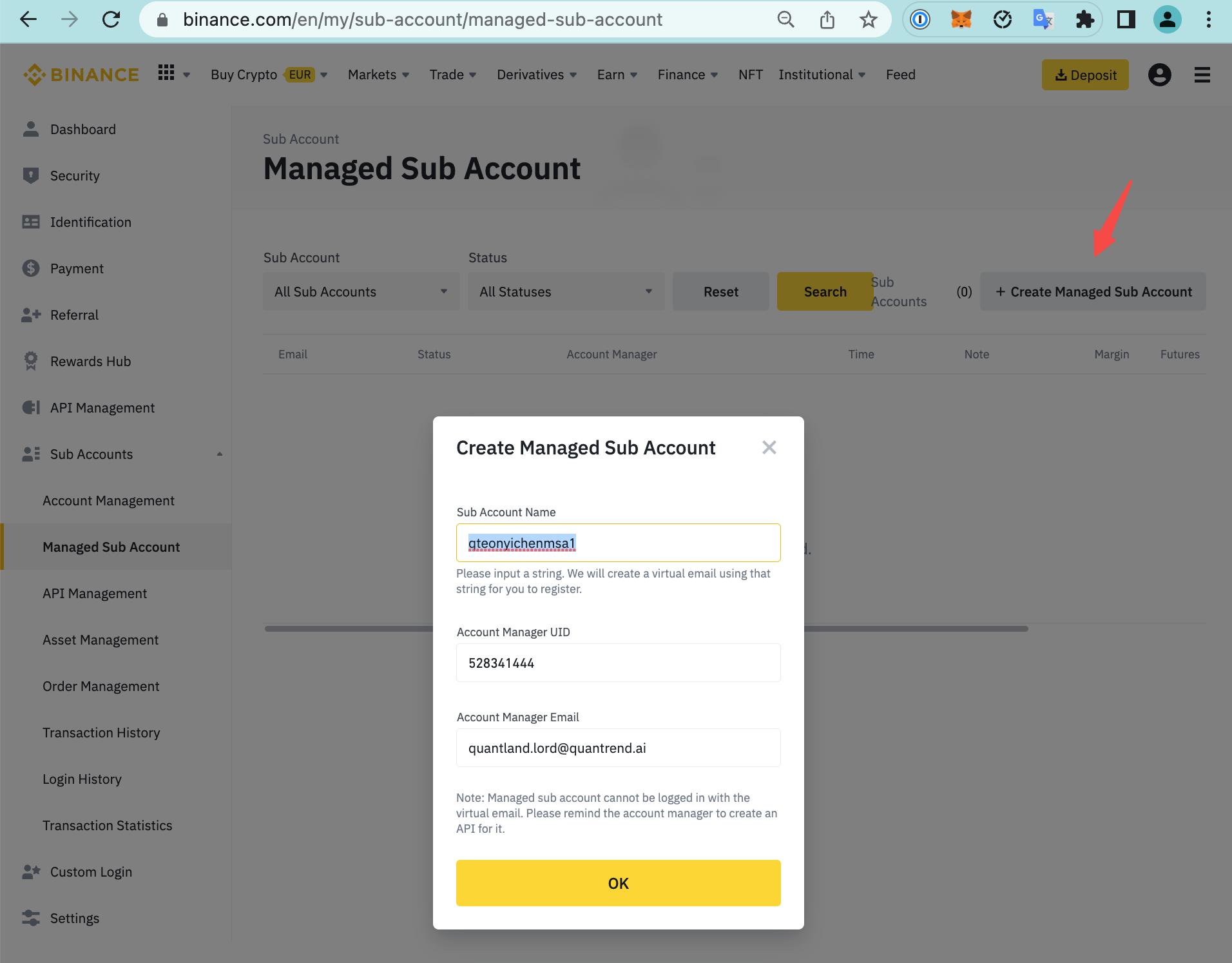
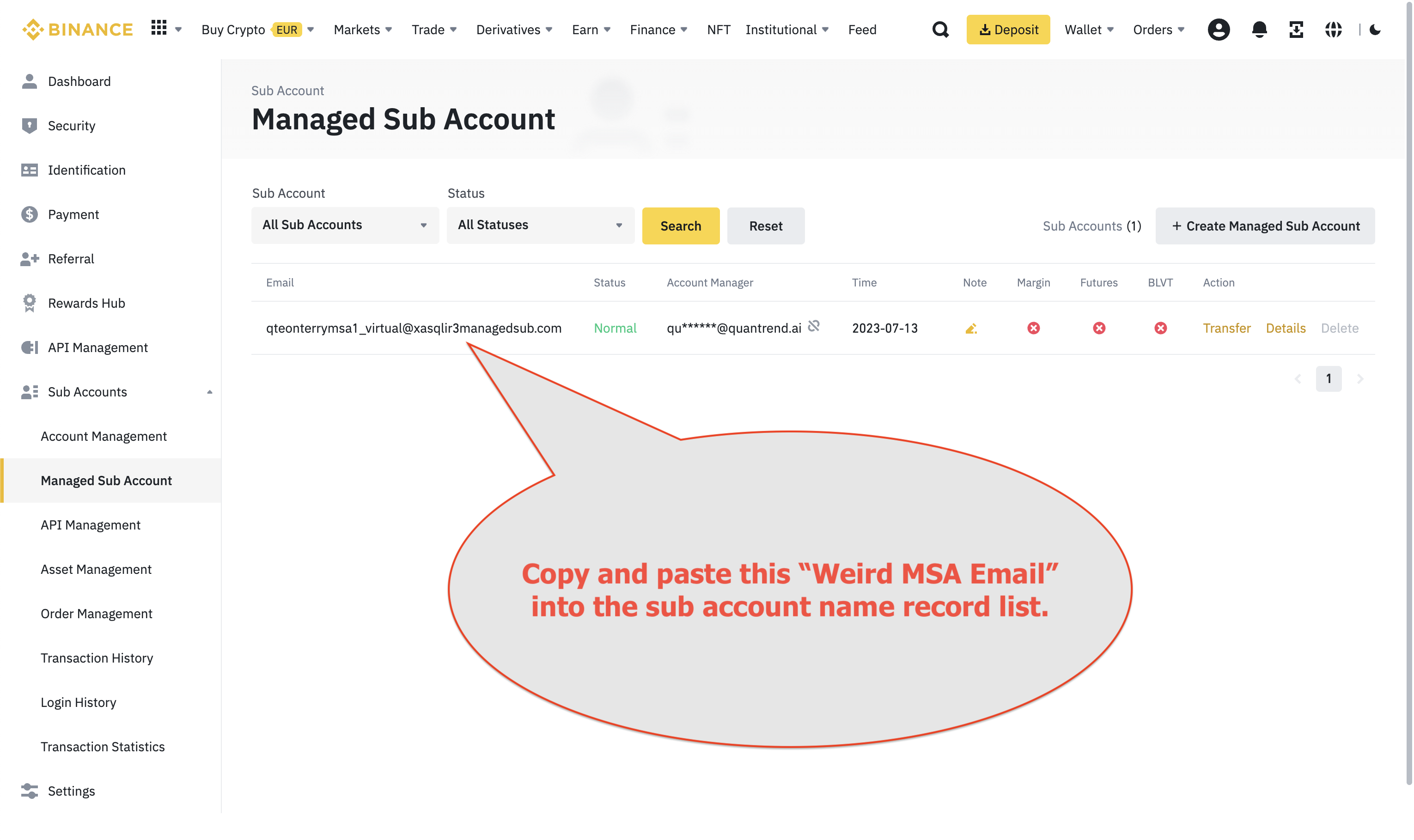
Click “Create Managed Sub Account,” then fill in the following details:
For example: